
Download Play.ht – AI Text‑to‑Speech Converter, Free Voice Generator
Overview
Play.ht is a cloud‑based AI voice‑generation platform that transforms written text into natural‑sounding speech. Designed for creators, marketers, educators, and developers, the service offers a generous free tier that lets new users generate up to 600 words of audio without paying a cent. Beyond the free allowance, Play.ht provides a subscription‑based premium plan that unlocks unlimited characters, higher‑quality voices, and advanced export options.
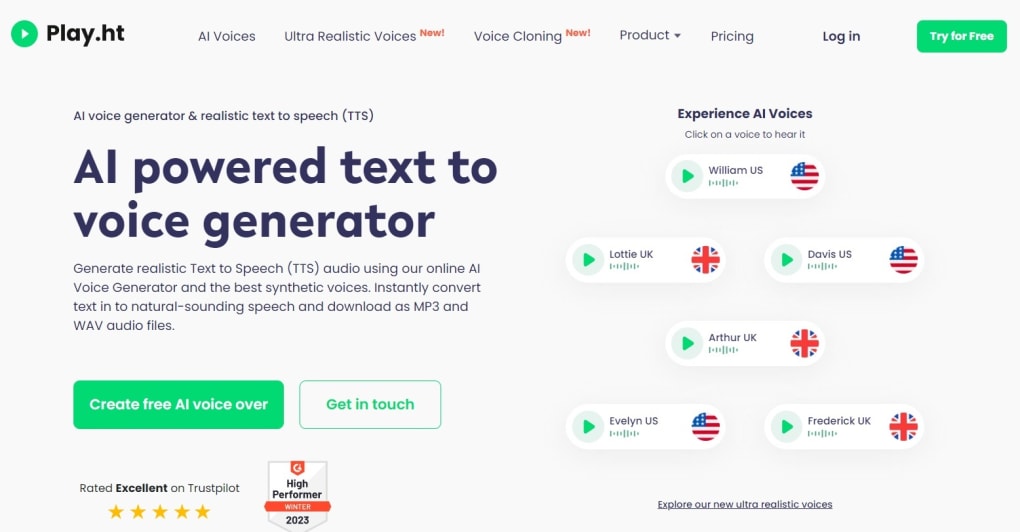
The interface follows a familiar “record‑capture‑transcribe” workflow, letting you select a voice, paste or type your script, adjust speed or pitch, and download the resulting MP3 or WAV file in seconds. Whether you need a narration for an explainer video, a dubbing track for a game, or a polished podcast intro, Play.ht supplies a broad library of AI voices—from a confident American male named William to a formal British narrator called Frederick, and even a newsroom‑style UK female voice, Lottie. The platform supports Google‑account sign‑in, making the onboarding process fast and secure.
While the synthetic nature of the voices can sometimes produce a slight metallic edge or mispronounce rare terms, Play.ht remains a cost‑effective alternative to hiring professional voice actors, especially for small teams or solo creators on a budget.
Key Features of Play.ht
- Extensive Voice Library: Over 600 AI‑generated voices covering multiple languages, accents, genders, and age ranges.
- Customizable Speech Parameters: Fine‑tune speed, pitch, and volume to match the tone of your project.
- One‑Click Export: Download audio in MP3, WAV, or OGG formats directly from the browser.
- Project Templates: Pre‑built setups for video narration, e‑learning modules, gaming dialogue, and podcast intros.
- Google Sign‑In & SSO: Quick registration using a Google account, with optional SSO for enterprise teams.
- API Access: Developers can integrate Play.ht’s TTS engine into apps, websites, or automation workflows via RESTful endpoints.
- Collaboration Tools: Share projects with teammates, assign roles, and keep version history of scripts.
- Secure Cloud Storage: All generated files are stored encrypted on Play.ht’s servers for 30 days, with GDPR‑compliant privacy policies.
- Free Tier & Transparent Pricing: 600 words free per month; premium plans start at $19 /month with scalable volume discounts.
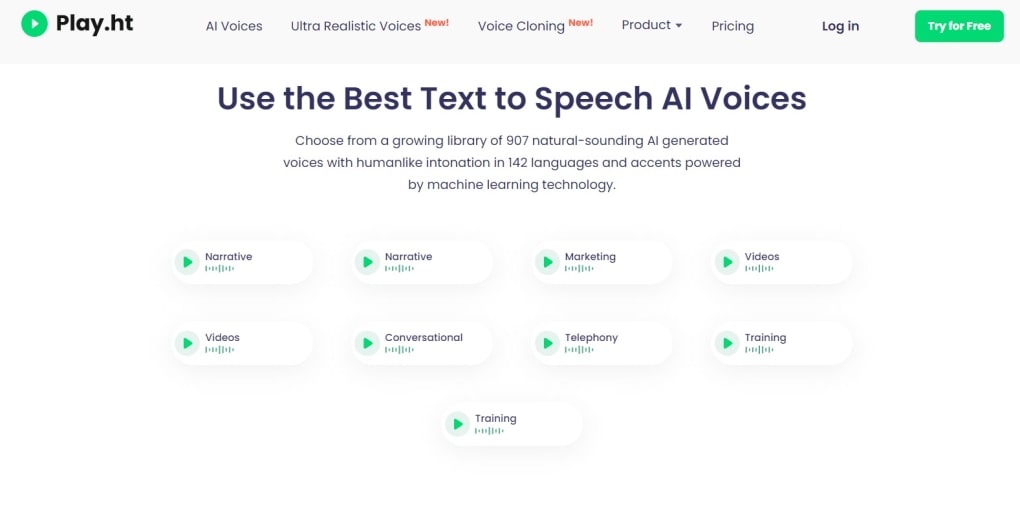
The feature set is built around accessibility and flexibility. For instance, the voice‑filter menu groups characters by nationality, age group, ideal purpose (narrative, training, videos), and tonal qualities such as “gravelly” or “soft.” This hierarchical organization helps users quickly locate a voice that fits the emotional context of their script, eliminating the need for endless trial‑and‑error. The API, documented with clear Swagger specs, empowers developers to automate bulk conversions—ideal for SaaS platforms that need dynamic audio generation on the fly. Overall, Play.ht’s blend of a rich voice catalog, granular controls, and collaboration utilities positions it as a versatile tool for both creative and technical audiences.
Installation, Setup, and Cross‑Platform Compatibility
Play.ht is a fully web‑based service, which means there is no traditional “installation” required on your desktop or mobile device. To begin, visit play.ht and click the “Sign Up” button. You can register using an email address or simply authenticate with your Google account—this single‑sign‑on method reduces friction and ensures a secure login process. After registration, you’ll be prompted to choose between an Individual or Company workspace. The Individual option is ideal for freelancers, podcasters, and educators, while the Company tier unlocks team‑management features and shared billing.
Once inside the dashboard, click “Create New Project” and select a template that matches your use case (e.g., Video Narration, Game Dubbing, e‑Learning). The editor interface consists of three primary panels: a left‑hand sidebar for voice selection, a central text box for script entry, and a right‑hand preview area where you can listen to a real‑time rendering of your speech. To generate audio, simply paste or type your text, choose a voice from the extensive catalog, and adjust the speed slider if needed. After previewing, hit the “Export” button to download the file in your preferred format.
Because Play.ht runs entirely in the browser, it is compatible with any modern operating system—Windows 10/11, macOS Ventura or later, Linux distributions, as well as mobile platforms like Android 12+ and iOS 15+. The responsive design adapts to tablets and smartphones, allowing you to create voiceovers on the go. For power users, the platform offers a RESTful API that can be accessed from any environment that supports HTTPS requests, including server‑side languages such as Python, Node.js, or PHP. This makes Play.ht suitable for integration into web applications, learning management systems, or automated marketing pipelines.
When it comes to updates, Play.ht continuously rolls out new voices, language packs, and performance improvements on the backend, so users always benefit from the latest AI models without needing to download patches. The service also provides a changelog in the help center, ensuring transparency about new features or bug fixes. In summary, Play.ht’s zero‑install, cross‑platform approach, combined with a straightforward onboarding flow, lets anyone—from a high‑school teacher to a seasoned developer—start generating AI speech within minutes.
Pros, Cons, and Frequently Asked Questions
Pros
- Free tier offers 600 words per month, perfect for testing or small projects.
- Huge selection of voices with detailed filters for accent, gender, and tone.
- No software download; works on any device with a modern browser.
- API access enables automation and integration with existing workflows.
- One‑click export to common audio formats simplifies post‑production.
- Secure cloud storage and GDPR compliance protect user data.
Cons
- AI voices can exhibit a faint metallic quality, especially on lower‑tier plans.
- Uncommon words or proper nouns may be mispronounced without manual phoneme editing.
- Premium pricing may be steep for large‑scale enterprises needing millions of characters.
- Limited offline functionality; an internet connection is mandatory.
Frequently Asked Questions
How many free words can I generate with Play.ht?
The free tier provides up to 600 words of AI‑generated speech per month. Once you exceed this limit, you’ll need to upgrade to a paid plan or wait until the next billing cycle.
Can I use Play.ht for commercial projects?
Yes. Both the Individual and Company plans include commercial usage rights for the audio files you generate. Review the licensing terms in the subscription agreement for specific details.
Is there an API, and how is it priced?
Play.ht offers a RESTful API that is billed based on character count. The API price is included in the premium subscription tiers, with volume discounts available for high‑usage accounts.
Which audio formats can I export?
Export options include MP3, WAV, and OGG. Higher‑quality formats are available on premium plans, and you can select bitrate settings before downloading.
How secure is my data on Play.ht?
Play.ht encrypts all stored audio and text data at rest and in transit. The service complies with GDPR and provides options for data deletion upon request.
Conclusion – Should You Download Play.ht?
Play.ht stands out as a powerful, browser‑based text‑to‑speech solution that balances ease of use with a surprisingly deep level of customization. The free tier lets newcomers test the platform without any financial commitment, while the premium plans unlock higher‑quality voices, larger character limits, and API access for developers. Its extensive voice catalog—organized by accent, tone, and intended use—means you can find a suitable narrator for almost any project, from corporate training videos to immersive game dialogues. Although the synthetic nature of the output can occasionally introduce a metallic timbre or mispronounce obscure terms, these drawbacks are common across most AI voice services and can often be mitigated with manual phoneme tweaks.
If you’re a freelancer looking to cut down on voice‑over costs, an educator needing engaging audio lessons, or a developer building a product that requires dynamic speech synthesis, Play.ht offers a reliable, secure, and scalable solution. The cross‑platform, no‑install design ensures you can work from a Windows PC, a macOS laptop, or even a mobile device without missing a beat. In short, the combination of a generous free allowance, an intuitive interface, and enterprise‑grade features makes Play.ht a worthy addition to any creator’s toolkit.
Ready to give your content a professional voice? Click the button below to create your free Play.ht account, generate up to 600 words of AI speech instantly, and explore the premium plans if you need more power.
Start Your Free Trial with Play.ht


.png)



